Maintain Your PC with QuickClean
QuickClean by Adore Softex Solutions Inc is a PC maintenance utility that helps users review storage usage, remove unnecessary files, manage browser data, and organize system cleanup tasks from a single dashboard.
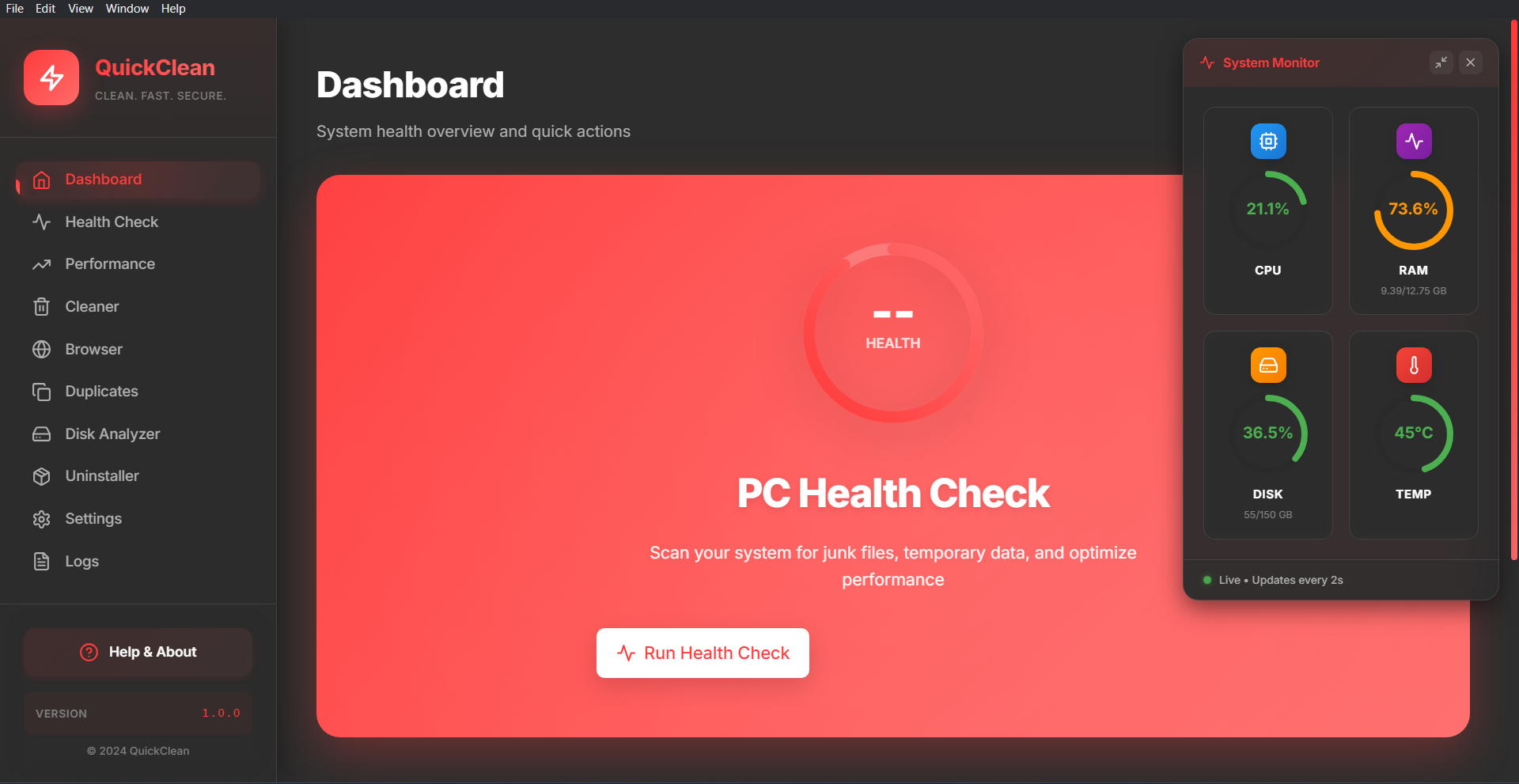
Everyday PC Management Tools
QuickClean provides a collection of tools for file cleanup, storage organization, and routine system management.
Clean
Review and remove selected temporary files and unused data from your system.
Manage
Access tools for organizing files, folders, and selected system data.
Monitor
View system information and storage details through a centralized interface.
Utilities
Additional maintenance tools designed to help manage common PC housekeeping tasks.
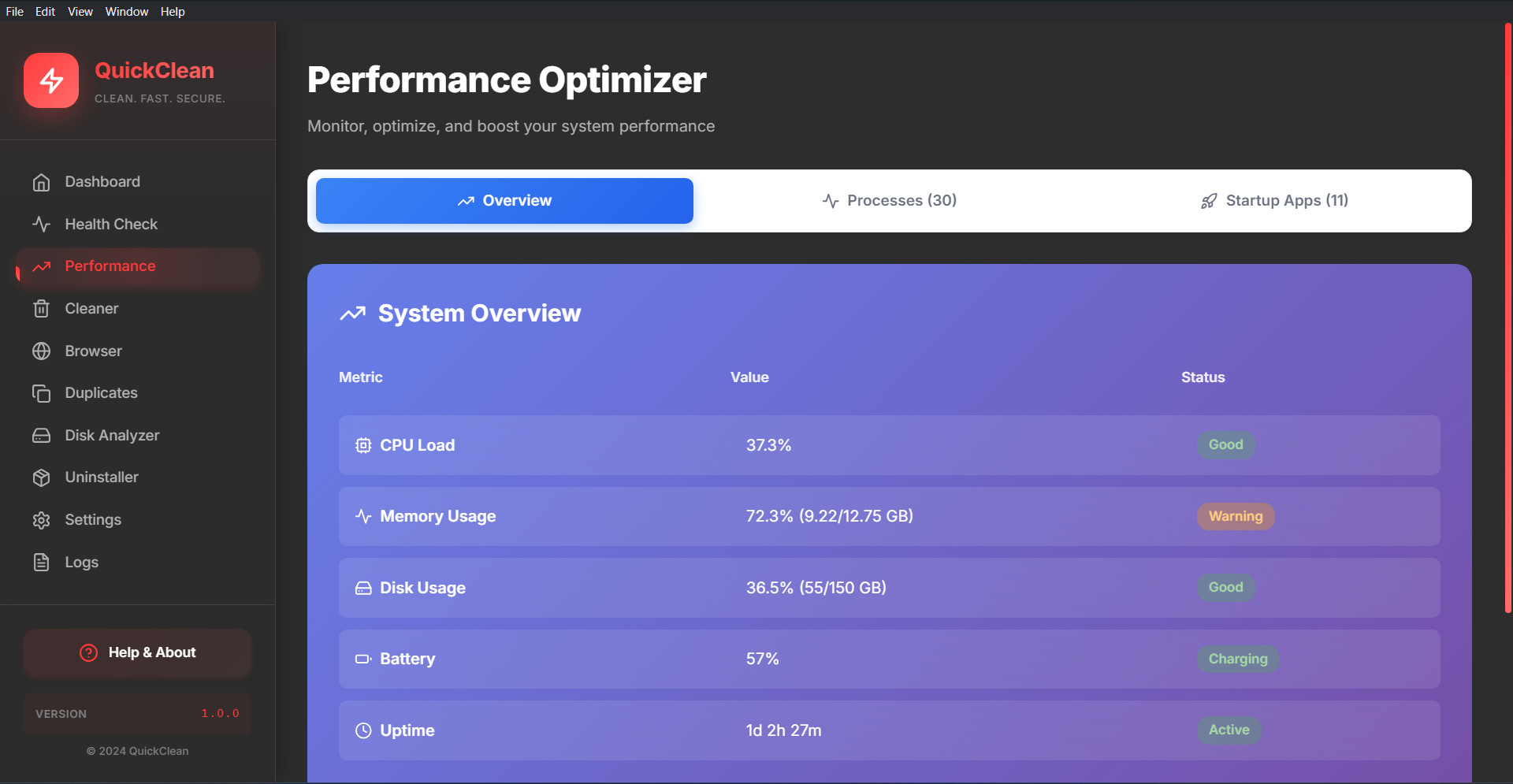
Organize Common Maintenance Tasks.
Simple Interface.
QuickClean provides access to file cleanup, browser data management, and storage organization tools through a single interface. The software is designed to help users review and manage selected system data based on their preferences.
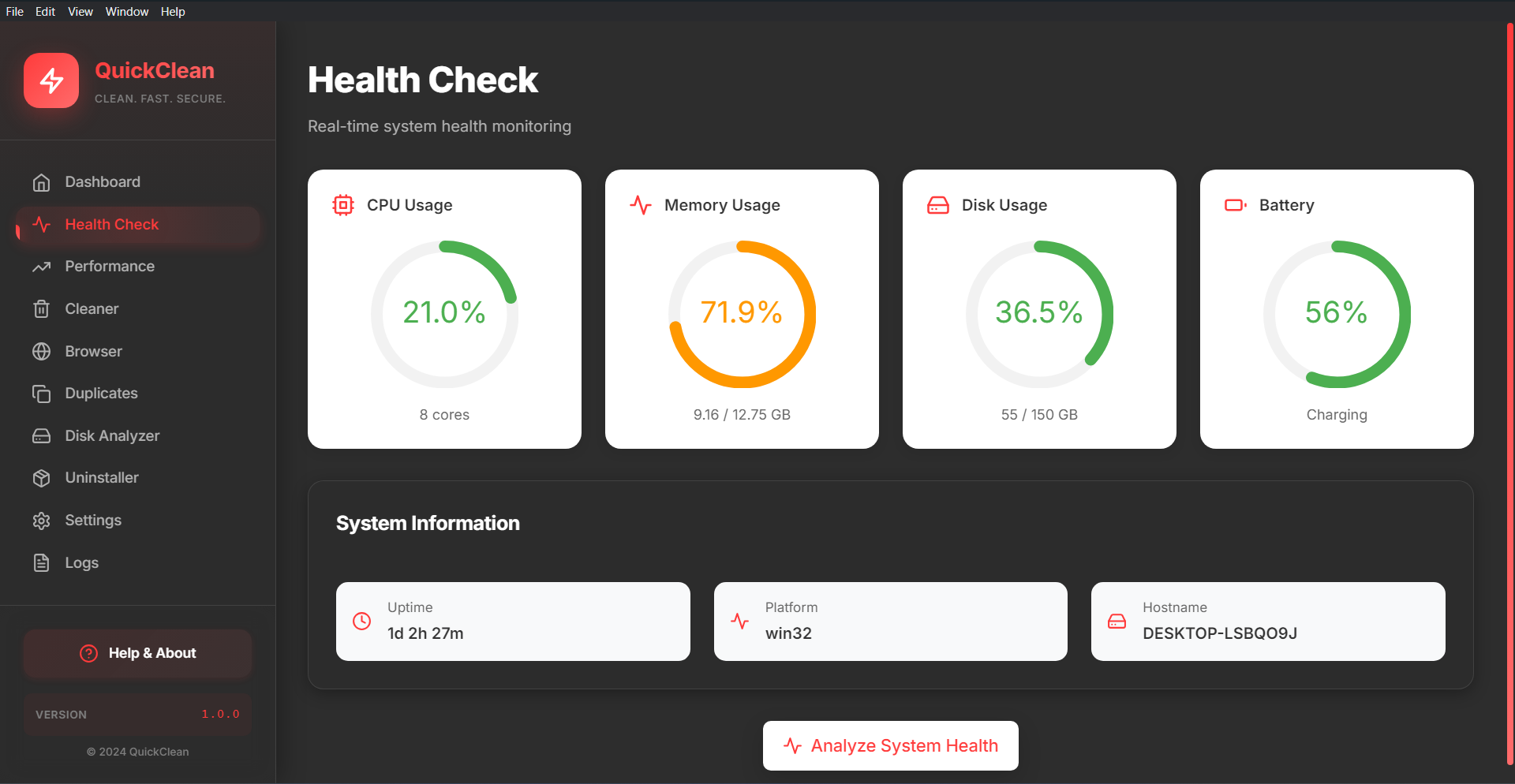
System Information Overview
QuickClean provides access to commonly available system information, storage details, and resource data through a single interface for easier review and management.
Processor Information
View processor details and current resource usage information.
Memory Information
Review memory allocation and usage information displayed by the system.
Storage Details
Access storage capacity and available space information for connected drives.
System Information
View general device and operating system information from one location.
Browser Data Management.
With User Control.
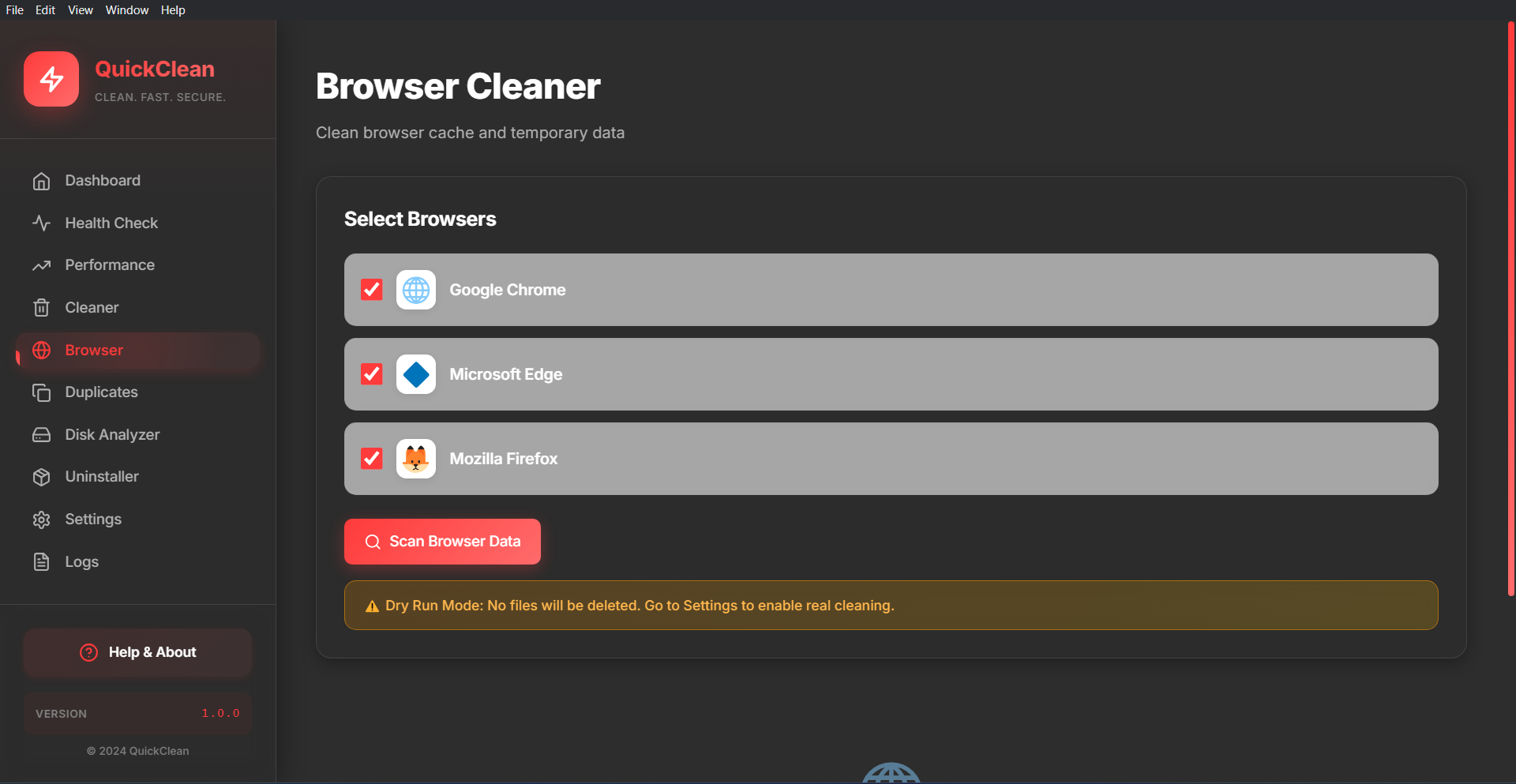
QuickClean helps users review browser-related data and choose which items they would like to remove. All actions remain under user control and can be reviewed before proceeding.
Browser Data Review
Displays browser cache, cookies, and temporary browsing data available for review.
Browser Compatibility
Supports management of data from compatible browsers installed on your device.
User-Selected Cleanup
Review selected items before choosing whether to remove them.
Review Before Action
Displays selected items for confirmation prior to completing cleanup actions.
Our Approach
At Adore Softex Solutions Inc, we develop software tools that help users review system information, manage storage usage, and organize selected files and browser data through a simple and user-controlled interface.
- File & Storage ManagementTools that help users review temporary files, storage usage, and selected system data before deciding whether to remove items.
- Browser Data ManagementFeatures that display browser-related data such as cache, cookies, and temporary files for user review and selection.
- Simple User ExperienceClear interfaces and guided workflows designed to make common software tasks easier to understand and manage.
- Transparency & User ControlUser-initiated actions, clear feature descriptions, and straightforward software functionality without additional bundled applications.

Product Resources & Help Center
Access product documentation, installation instructions, and self-service resources designed to help you understand and use QuickClean features.
Help Center
Explore guides, FAQs, and product documentation covering installation, activation, and available QuickClean features.
- Installation and setup guides
- Product feature documentation
- Frequently asked questions
Contact Support
Contact our team for questions related to QuickClean licensing, account access, downloads, or product information.
- Email support for product inquiries
- Licensing and account assistance
- Response within 1–2 business days